Skip to content

Meet us in Malta. The VIALET team will be at SBC Summit Malta. Let’s discuss how we can serve your business.

Currency Exchange

Convert funds instantly across borders and optimize your treasury with real-time, competitive FX rates.

High-performance payment infrastructure for ambitious businesses

Real-Time Market Data

Institutional-grade rates for precise and competitive cross-border conversions.

Multi-Currency Agility

Seamlessly move capital between EUR, USD, GBP, and dozens of other global currencies.

Instant Settlement

Execute trades and settle funds immediately within your dedicated VIALET business account.

Transparent Execution

No hidden spread markups or complex fee structures. Clarity on every transaction.

The figures behind our industry impact

Supported Currencies

40+

Hidden Fees

0

Execution

Real-Time

In Partnership With:

Engineered for Global Liquidity

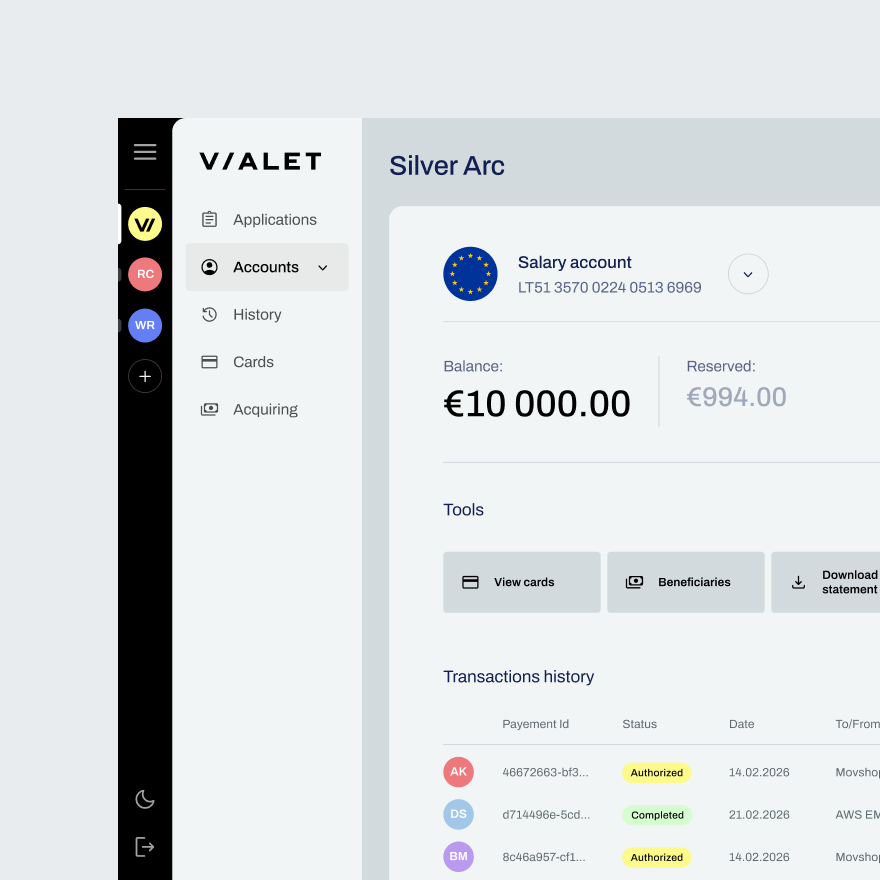
Cross-border operations require instant execution and transparent multi-currency rails. Whether paying international suppliers or repatriating global revenue, our platform ensures you don’t lose margin to volatile FX rates or settlement delays.
  • Instant Execution

    Lock in the rate and convert multi-currency balances with a single click.

  • Global Payouts

    Convert and send funds globally in exactly the currency your partners require.

  • API Automation

    Integrate our robust API to trigger automated FX conversions based on your operational rules.

Contact our team to learn more

Ioannis Chatziathanasiou

Chief Business Development Officer

Justinas Stasys

Head of Sales

Mykola Yefimenko

Sales & Key Accounts

Savvas Hadjiminas

Cyprus Representative
Contact Sales

Key Information at a Glance

  • You can instantly convert between 40+ major global currencies, including EUR, USD, GBP, and many more.

  • We use real-time market rates with total transparency. You will always see the exact rate and the final amount before you confirm.

  • Yes. Once you confirm the trade, the funds are converted and available in your balance immediately.

Optimize Your FX Operations

Speak with our team about securing competitive, high-volume rates for your cross-border business.

Contact Sales

Test your knowledge on fraud prevention

Digital banking makes life easier — but also riskier. Take this short quiz to test your fraud awareness and learn simple ways to protect yourself online.

Please find test answers below and good luck!

  1. 1.

    What is the best practice for creating a strong password for your online account?

    1. 1.

      Use your birthdate and a simple word

    2. 2.

      Use a combination of letters, numbers, and special characters

    3. 3.

      Use the same password for all your accounts for convenience

    4. 4.

      Use only numbers

  2. 2.

    What is a recommended step when using public Wi-Fi to access your financial accounts?

    1. 1.

      Log in to your accounts only if you are using a VPN

    2. 2.

      Avoid accessing any financial accounts on public Wi-Fi

    3. 3.

      Use a public Wi-Fi network even if it is unsecured

    4. 4.

      Only use public Wi-Fi for non-sensitive transactions

  3. 3.

    What is a common indicator of a phishing attempt?

    1. 1.

      An email from a known contact asking for verification

    2. 2.

      An email with urgent language asking you to confirm your account details

    3. 3.

      A phone call from your bank asking you to update your information

    4. 4.

      A notification from your bank’s app about a new feature

  4. 4.

    Which of the following actions is a sign that your account may be compromised?

    1. 1.

      Receiving a confirmation email for a transaction you didn’t make

    2. 2.

      Regularly receiving marketing emails from your bank

    3. 3.

      Seeing advertisements for products you recently searched online

    4. 4.

      Noticing minor changes in the colour scheme of your bank’s website

  5. 5.

    Which of the following is a good practice for managing your account security?

    1. 1.

      Sharing your account password with close friends for convenience

    2. 2.

      Regularly updating your security questions and answers

    3. 3.

      Using the same security questions for multiple accounts

    4. 4.

      Keeping your password written down near your computer for easy access

  6. 6.

    What should you do if you suspect your account details have been stolen?

    1. 1.

      Immediately call your bank to report the issue and freeze your account

    2. 2.

      Wait and see if any suspicious activity occurs

    3. 3.

      Change your password and continue using the account as usual

    4. 4.

      Post about the issue on social media to warn others

  7. 7.

    What is two-factor authentication (2FA)?

    1. 1.

      A method to recover a forgotten password

    2. 2.

      A security process that requires two separate forms of identification

    3. 3.

      A way to encrypt your emails

    4. 4.

      A feature that automatically logs you out after inactivity

  8. 8.

    Why is it important to keep your software and apps up to date?

    1. 1.

      To access new features and improve performance

    2. 2.

      To ensure compatibility with your device

    3. 3.

      To protect against vulnerabilities and security threats

    4. 4.

      To avoid advertisements

  9. 9.

    How should you respond to unexpected account alerts or notifications?

    1. 1.

      Ignore them if you are not expecting any changes

    2. 2.

      Verify the alert by contacting your bank using the phone number on their official website

    3. 3.

      Click on any links in the alert to follow instructions

    4. 4.

      Forward the alert to your friends to check if they received similar notifications

  10. 10.

    What should you do if you receive an email from your bank with a link to a login page?

    1. 1.

      Click the link to check if it leads to your bank’s official site

    2. 2.

      Copy the link and paste it into your browser to verify its authenticity

    3. 3.

      Visit your bank’s website directly by typing the URL into your browser and log in from there

    4. 4.

      Open the link in an incognito window to avoid detection of fraud

If you have any questions about the quiz or need more information, don’t hesitate to reach out to us. You can contact us at support@vialet.eu for personalised assistance. If you didn’t pass the quiz, don’t worry – you can learn more about the key topics on our website.