Skip to content

Meet us in Lisbon. The VIALET team will be at SBC Summit Lisbon. Let’s discuss how we can serve your business.

Go Back
Meetups Past events

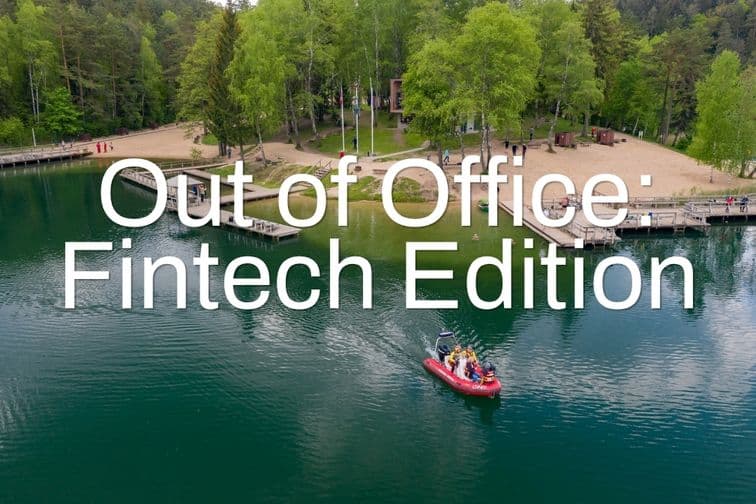
Out of Office: Fintech Edition

23 July
2026
Green Lakes, Vilnius
Gintautas Mežetis Spoke At Green Lakes

VIALET’s Board Member, Gintautas Mežetis, joined Out of Office: Fintech Edition. HeadHunters Hub and BCCS Cluster hosted the lakeside walk and talk.


Gintautas spoke alongside Liudas Kanapienis, Co-Founder and CEO of Ondato, on fintech trends, challenges, and opportunities along the route.


What Is A Walk And Talk?

A walk and talk swaps the conference stage for a shared route. Speakers share expertise while the group covers a set distance together, out loud, in the open air.


About The Organizers

HeadHunters Hub is a fintech recruitment agency based in Vilnius. The agency matches finance and technology teams with specialist talent across the EU and UK.

BCCS Cluster is a Vilnius-based innovation hub for blockchain, cybersecurity, and compliance in fintech and Web3. Founded in 2019, the cluster connects experts, startups, and established companies across Lithuania.


Vilnius: The EU’s Fintech Hub

Vilnius holds the largest FinTech hub in the EU. The city is home to more than 280 FinTech companies serving more than 30 million customers across Europe. Events like Out of Office: Fintech Edition connect the ecosystem outside the office.


All Proceeds Support Ukraine

Every ticket sold for Out of Office: Fintech Edition directly funded relief efforts in Ukraine.

 

The Speaker

  • Gintautas Mezetis

    Board Member

Test your knowledge on fraud prevention

Digital banking makes life easier — but also riskier. Take this short quiz to test your fraud awareness and learn simple ways to protect yourself online.

Please find test answers below and good luck!

  1. 1.

    What is the best practice for creating a strong password for your online account?

    1. 1.

      Use your birthdate and a simple word

    2. 2.

      Use a combination of letters, numbers, and special characters

    3. 3.

      Use the same password for all your accounts for convenience

    4. 4.

      Use only numbers

  2. 2.

    What is a recommended step when using public Wi-Fi to access your financial accounts?

    1. 1.

      Log in to your accounts only if you are using a VPN

    2. 2.

      Avoid accessing any financial accounts on public Wi-Fi

    3. 3.

      Use a public Wi-Fi network even if it is unsecured

    4. 4.

      Only use public Wi-Fi for non-sensitive transactions

  3. 3.

    What is a common indicator of a phishing attempt?

    1. 1.

      An email from a known contact asking for verification

    2. 2.

      An email with urgent language asking you to confirm your account details

    3. 3.

      A phone call from your bank asking you to update your information

    4. 4.

      A notification from your bank’s app about a new feature

  4. 4.

    Which of the following actions is a sign that your account may be compromised?

    1. 1.

      Receiving a confirmation email for a transaction you didn’t make

    2. 2.

      Regularly receiving marketing emails from your bank

    3. 3.

      Seeing advertisements for products you recently searched online

    4. 4.

      Noticing minor changes in the colour scheme of your bank’s website

  5. 5.

    Which of the following is a good practice for managing your account security?

    1. 1.

      Sharing your account password with close friends for convenience

    2. 2.

      Regularly updating your security questions and answers

    3. 3.

      Using the same security questions for multiple accounts

    4. 4.

      Keeping your password written down near your computer for easy access

  6. 6.

    What should you do if you suspect your account details have been stolen?

    1. 1.

      Immediately call your bank to report the issue and freeze your account

    2. 2.

      Wait and see if any suspicious activity occurs

    3. 3.

      Change your password and continue using the account as usual

    4. 4.

      Post about the issue on social media to warn others

  7. 7.

    What is two-factor authentication (2FA)?

    1. 1.

      A method to recover a forgotten password

    2. 2.

      A security process that requires two separate forms of identification

    3. 3.

      A way to encrypt your emails

    4. 4.

      A feature that automatically logs you out after inactivity

  8. 8.

    Why is it important to keep your software and apps up to date?

    1. 1.

      To access new features and improve performance

    2. 2.

      To ensure compatibility with your device

    3. 3.

      To protect against vulnerabilities and security threats

    4. 4.

      To avoid advertisements

  9. 9.

    How should you respond to unexpected account alerts or notifications?

    1. 1.

      Ignore them if you are not expecting any changes

    2. 2.

      Verify the alert by contacting your bank using the phone number on their official website

    3. 3.

      Click on any links in the alert to follow instructions

    4. 4.

      Forward the alert to your friends to check if they received similar notifications

  10. 10.

    What should you do if you receive an email from your bank with a link to a login page?

    1. 1.

      Click the link to check if it leads to your bank’s official site

    2. 2.

      Copy the link and paste it into your browser to verify its authenticity

    3. 3.

      Visit your bank’s website directly by typing the URL into your browser and log in from there

    4. 4.

      Open the link in an incognito window to avoid detection of fraud

If you have any questions about the quiz or need more information, don’t hesitate to reach out to us. You can contact us at support@vialet.eu for personalised assistance. If you didn’t pass the quiz, don’t worry – you can learn more about the key topics on our website.